Help / Using the web portal
Web portal · Household / Pro
Navigate the web inventory
Use your shared ThingzSafe inventory from a browser on a computer, tablet or phone.
Home and navigation
- Home shows inventory counts, upcoming reminders and recently added Things. Use Sites and areas to browse places, or Things for the full list.
- Search this list filters the current view. Search anything looks across record types. Use Category and other available filters to narrow results.
- Open a Site, Area or Thing by selecting its name or card. Breadcrumbs return you to the parent location.
Phone and tablet use
- On smaller screens the navigation becomes a horizontal strip. Swipe it to reach more sections. Detail forms stack vertically.
- Wide bulk grids and file tables can scroll horizontally. A desktop or large tablet is usually more convenient for editing many records.
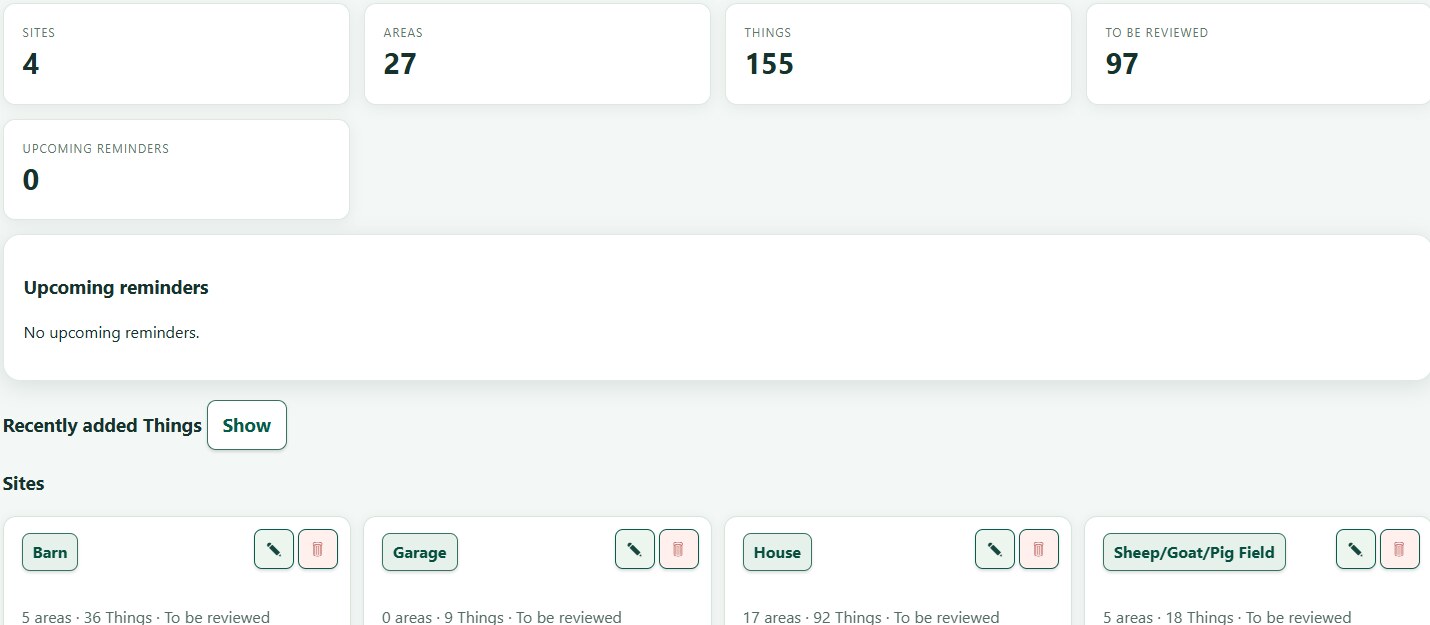 Web inventory overview
Need more help or have a suggestion? Contact us.
 ThingzSafe